Fewer diners, higher costs
Five practical ways Canadian restaurants can reduce wasted labour hours without cutting service, with a worked monthly-cost example.
Read the restaurant guideSet coverage, account for time off, and review open shifts. You decide when the schedule is ready to share.
The demo uses isolated sample data. Creating a real workspace requires an account; payment details are not needed.
| SHIFT | MON | TUE | WED | THU | FRI | SAT | SUN |
|---|---|---|---|---|---|---|---|
| Open08:00–12:00 | Maya | Luca | Emi | Maya | Luca | Jordan | Maya |
| Midday12:00–16:00 | Luca | Emi | Jordan | Luca | Emi | Jordan | Luca |
| Close16:00–20:00 | Jordan | Maya | Luca | Emi | Maya | Unassigned | Unassigned |
2 closing shifts still openGaps stay visible for the manager to resolve.
Fictional sample layout · Not a customer schedule or performance claim
Short, practical reads for small-business managers—built around real scheduling questions, not software jargon.
Browse all guidesFive practical ways Canadian restaurants can reduce wasted labour hours without cutting service, with a worked monthly-cost example.
Read the restaurant guideSpreadsheets go stale, chat groups miss constraints, and enterprise tools can be too heavy. EasyShiftPlan keeps the useful middle ground.
Plan the demand your business actually has, by week or by month.
Respect time off, roles, hour limits, rest and fair workloads.
Review coverage, cost and open shifts before sharing the roster.
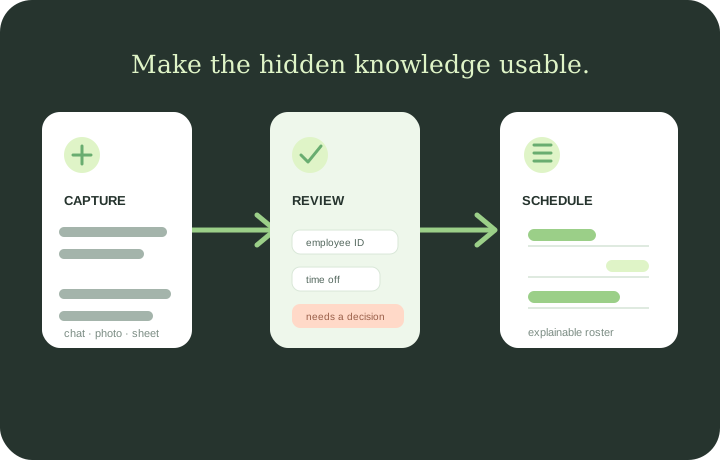
The useful details usually arrive in different places. EasyShiftPlan gives them one reviewable path: bring in the context, check what was understood, then generate the roster.
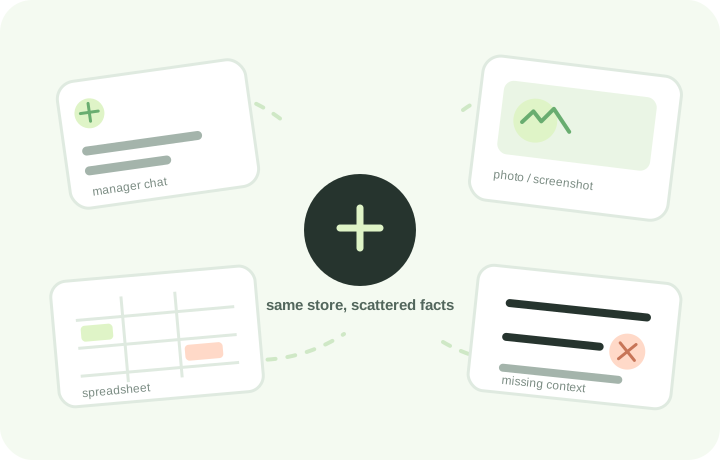
Bring a chat screenshot, a photo of a whiteboard, a CSV/XLSX file or a plain-language note. EasyShiftPlan creates a draft for the manager to review instead of changing the roster silently.
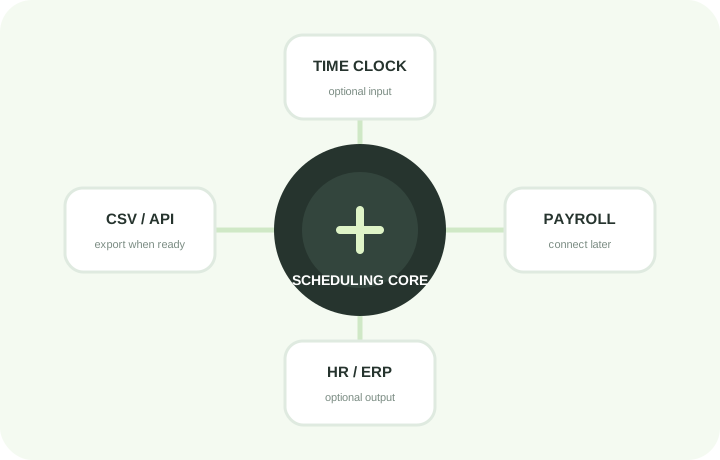
EasyShiftPlan does not force a small business to buy payroll, HR, CRM and time-clock software just to make a roster. Export CSV now; connect through APIs later.
The workflow stays simple while the setup adapts to how your team actually works. Choose a starting pattern, then change the shifts, opening days and rules.
Retail stores, shoe shops, convenience stores, cafes and restaurants with changing daily coverage.
Demand follows your opening hoursAuto repair, clinics, salons and other appointment or role-based teams with specific skills.
Roles and availability stay visibleLogistics, warehouses, workshops and factories with custom shift patterns or longer operating hours.
Define the pattern that fitsThree clear ways to use EasyShiftPlan, depending on where you are today.
Use an isolated sample workspace to see how rules, AI interpretation and schedule review fit together. No payment details.
Open the demo →Create a free workspace for one store first. Add your team and rules while keeping your current payroll, POS or time-clock tools.
Start a one-store pilot →Bring your existing workflow, integrations and service expectations. We will help shape a practical rollout.
Request onboarding →See it with sample data, then use one real store. Keep your existing tools until you know this actually helps.
Walk through the whole process with realistic sample data before creating an account.
Use it for one real scheduling cycle while keeping your payroll, POS and time-clock tools.
CA$20 per month or CA$199 per year. Both plans include a 14-day trial.
Need more than one store? Ask us about multi-store setup, onboarding or integrations. The one-store subscription prices are listed above.
Names, roles, availability and time off. Add an optional cost signal if useful.
Add shifts or explain them in plain language.
Choose coverage, cost, fairness and hard rules.
Get a transparent plan and see any remaining gaps.
No. Start from a template or define your own operating days, shift names and times. A repair shop, clinic, warehouse and shoe store can all use different patterns.
No. The AI turns notes, images or spreadsheets into a reviewable draft of rules and objectives. You confirm or adjust it before generating a roster.
EasyShiftPlan distinguishes hard constraints from priorities, reports uncovered shifts, and returns the best available plan within the time limit so the manager can make the final call.
Yes. EasyShiftPlan focuses on scheduling. Export the confirmed roster as CSV today, and connect it to other systems when an integration is useful.
No payment details. No sales call required.
Use the demo first, or tell us what you need. These three inboxes are managed by the same team.